AI Makes You 19% Slower: The Productivity Illusion
Developers using AI think they're more productive. Research shows they're actually slower. Here's why AI productivity gains are harder to capture than you think.
Jason Overmier
Innovative Prospects Team
The pitch for AI coding tools is compelling: write code faster, ship features quicker, boost developer productivity. The reality is more complicated.
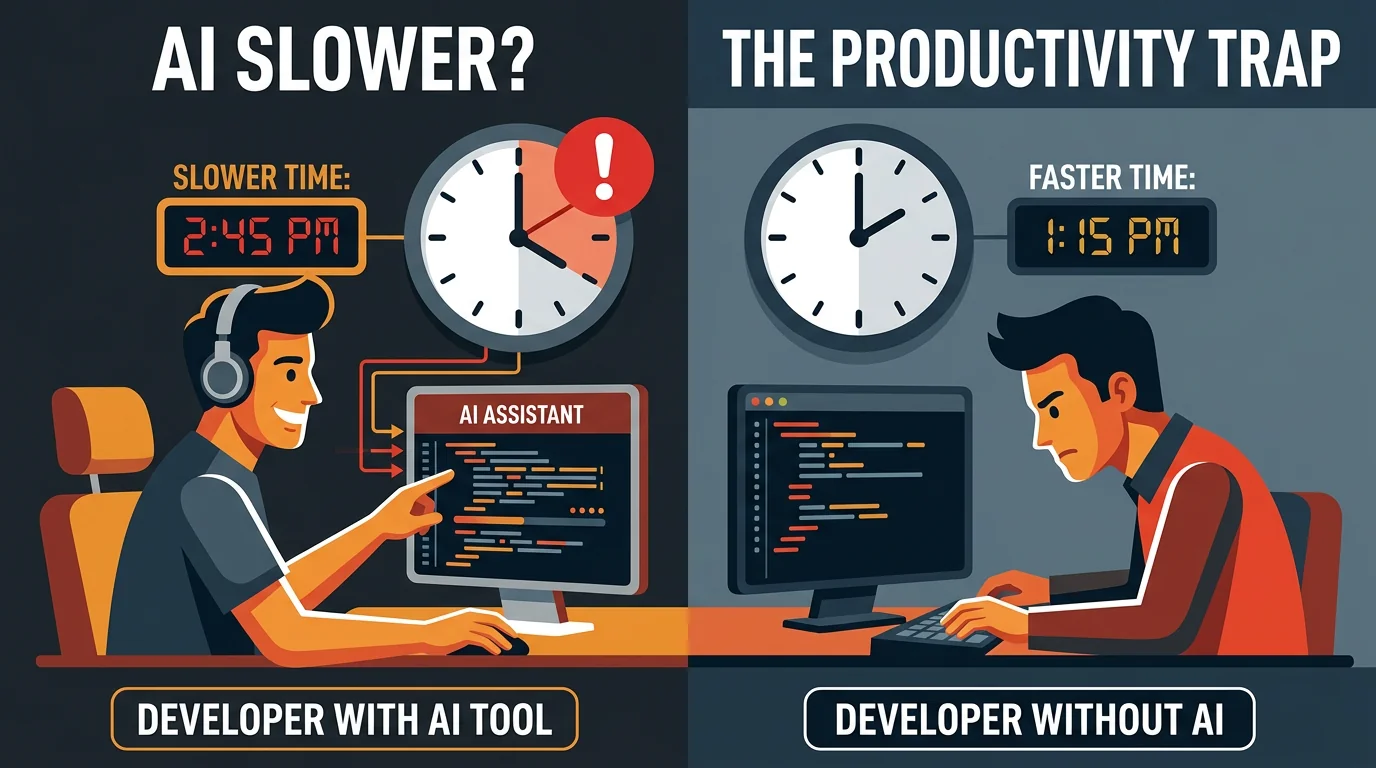
According to research from MIT, developers using AI tools took 19% longer to complete tasks compared to developers not using AI. Other studies have found similar results: AI helps developers feel more productive while actually slowing them down.
How is this possible? The answer reveals important truths about AI-assisted development that every team needs to understand.
The Productivity Paradox
What Developers Report
When developers use AI tools, they report:
| Metric | Self-Reported Impact |
|---|---|
| Speed | ”I’m coding faster” |
| Confidence | ”I feel more productive” |
| Satisfaction | ”AI is helpful” |
| Quality | ”The code looks good” |
What Research Measures
When researchers measure actual outcomes:
| Metric | Measured Impact |
|---|---|
| Task completion time | +19% (slower) |
| Error rate | Higher (AI introduces subtle bugs) |
| Review time | Longer (AI code requires more scrutiny) |
| Debugging time | +45% more time finding AI-introduced bugs |
The gap between perceived and actual productivity is the trap.
Why AI Slows Developers Down
1. Context Switching Overhead
Every AI interaction requires context switching:
| Traditional Flow | AI-Assisted Flow |
|---|---|
| Read code → Write code → Test | Read code → Prompt AI → Read AI output → Evaluate → Edit → Test |
| 3 steps | 5+ steps |
The cognitive cost of evaluating AI output adds up across hundreds of interactions.
2. The Review Burden
AI-generated code requires more thorough review:
| Code Type | Review Time | Why |
|---|---|---|
| Human-written | Baseline | Reviewer trusts author’s judgment |
| AI-generated | +50-100% | Reviewer must verify every assumption |
When code “looks right” but might contain subtle issues, reviewers spend more time validating.
3. Debugging AI Mistakes
AI makes different kinds of mistakes than humans:
| Mistake Type | Human Pattern | AI Pattern |
|---|---|---|
| Logic errors | Obvious in review | Subtle, looks correct |
| Edge cases | Forgets some | Misses entirely without prompting |
| API usage | Misunderstands | Hallucinates non-existent APIs |
| Security | Common vulnerabilities | Training-data vulnerabilities |
Finding an AI’s subtle bug takes longer than finding an obvious human error.
4. False Confidence
AI-generated code that “works” often contains hidden problems:
| Issue | Why It’s Missed |
|---|---|
| Performance problems | Works in tests, fails at scale |
| Race conditions | Only appear under concurrent load |
| Security vulnerabilities | Pass functional tests |
| Maintainability issues | Become apparent during changes |
Developers accept AI code more readily because it “looks right,” deferring problems to production.
When AI Actually Helps
The research doesn’t mean AI is useless. It means AI helps with specific tasks and hurts with others.
Tasks Where AI Accelerates
| Task Type | Speed Gain | Why |
|---|---|---|
| Documentation | 3-5x | AI excels at summarizing |
| Boilerplate code | 2-3x | Patterns AI knows well |
| Test scaffolding | 2x | Structure is predictable |
| Refactoring | 1.5-2x | Mechanical transformations |
| Language translation | 2-3x | Pattern matching |
Tasks Where AI Slows Down
| Task Type | Speed Loss | Why |
|---|---|---|
| Novel algorithms | -20-40% | AI suggests wrong approaches |
| Business logic | -15-30% | Requires domain understanding |
| Integration work | -25% | Context-heavy, many edge cases |
| Debugging | -30-50% | AI misdiagnoses problems |
| Architecture decisions | -40% | AI lacks judgment |
The pattern: AI is faster at patterns it has seen before, slower at anything requiring novel thinking or deep context.
The Verification Overhead
The hidden cost of AI-assisted development is verification.
Trust But Verify
Every piece of AI-generated code requires:
| Verification Step | Time Cost | Risk If Skipped |
|---|---|---|
| Logic check | 30 seconds | Incorrect behavior |
| API validation | 15 seconds | Runtime errors |
| Security review | 1 minute | Vulnerabilities |
| Performance consideration | 30 seconds | Scale problems |
| Edge case check | 1 minute | Production failures |
For a 5-line function generated by AI, you might spend 3 minutes verifying. Writing it yourself might take 5 minutes. The “savings” disappear.
The Accumulated Cost
Across a typical feature:
| Task | Without AI | With AI | Verification | Total |
|---|---|---|---|---|
| Write 10 functions | 50 min | 10 min | 30 min | 40 min |
| Write tests | 30 min | 15 min | 10 min | 25 min |
| Integration | 40 min | 30 min | 20 min | 50 min |
| Debug | 20 min | 15 min | 25 min | 40 min |
| Total | 140 min | 70 min | 85 min | 155 min |
The AI-assisted approach looks faster until you add verification time.
How to Actually Gain Productivity
1. Be Selective About AI Usage
Don’t use AI for everything. Use it where it helps:
| Use AI For | Skip AI For |
|---|---|
| Boilerplate | Business logic |
| Documentation | Novel algorithms |
| Tests for simple functions | Complex integration tests |
| Code explanation | Architecture decisions |
| Simple refactoring | Security-sensitive code |
2. Invest in Verification Tooling
If you’re using AI, you need verification:
| Tool | Purpose |
|---|---|
| Strong type systems | Catch AI type errors at compile time |
| Comprehensive tests | Catch AI logic errors before review |
| Linters/formatters | Catch AI style inconsistencies |
| Static analysis | Catch security issues |
| Integration tests | Catch AI API hallucinations |
3. Establish AI Review Standards
Make AI code review explicit:
## AI-Generated Code Review Checklist

- [ ] Verify all API calls exist and are used correctly
- [ ] Check for edge cases AI might have missed
- [ ] Confirm error handling is complete
- [ ] Review for security implications
- [ ] Consider performance at scale
- [ ] Test the tests (AI-generated tests can be wrong too)
4. Measure Real Productivity
Track actual outcomes, not activity:
| Metric | What to Measure |
|---|---|
| Velocity | Features shipped to production |
| Quality | Bugs per feature |
| Review time | Time from PR to merge |
| Rework rate | Features needing post-release fixes |
If AI is helping, these metrics should improve. If they’re not, reconsider your AI workflow.
The Learning Curve Effect
Part of the productivity loss is temporary. Teams new to AI tools haven’t learned:
| Skill | Learning Time | Impact |
|---|---|---|
| Effective prompting | 1-2 months | Better AI output, less editing |
| When to use AI | 1-2 months | Less time on wrong tasks |
| Verification patterns | 2-3 months | Faster, more thorough review |
| Workflow integration | 1-2 months | Reduced context switching |
After 6 months, teams often see net positive productivity. The first 3 months may be slower.
Common Mistakes
| Mistake | Why It Hurts |
|---|---|
| Using AI for everything | Slows down tasks AI is bad at |
| Skipping verification | Hidden bugs accumulate |
| Assuming AI is correct | AI makes subtle, believable errors |
| Not tracking real metrics | Can’t tell if AI is helping |
| Abandoning AI too early | Learning curve is real but temporary |
AI coding tools can improve productivity, but only when used strategically with proper verification. If you’re looking for a development partner who understands both the benefits and limitations of AI-assisted development, book a consultation. We’ve built workflows that capture AI’s benefits while maintaining the verification rigor production systems require.