HIPAA Compliance for Non-Technical Founders: A Practical Guide
Building healthcare software? Here's what non-technical founders need to know about HIPAA compliance without getting lost in legal jargon.
Jason Overmier
Innovative Prospects Team
HIPAA Compliance for Non-Technical Founders
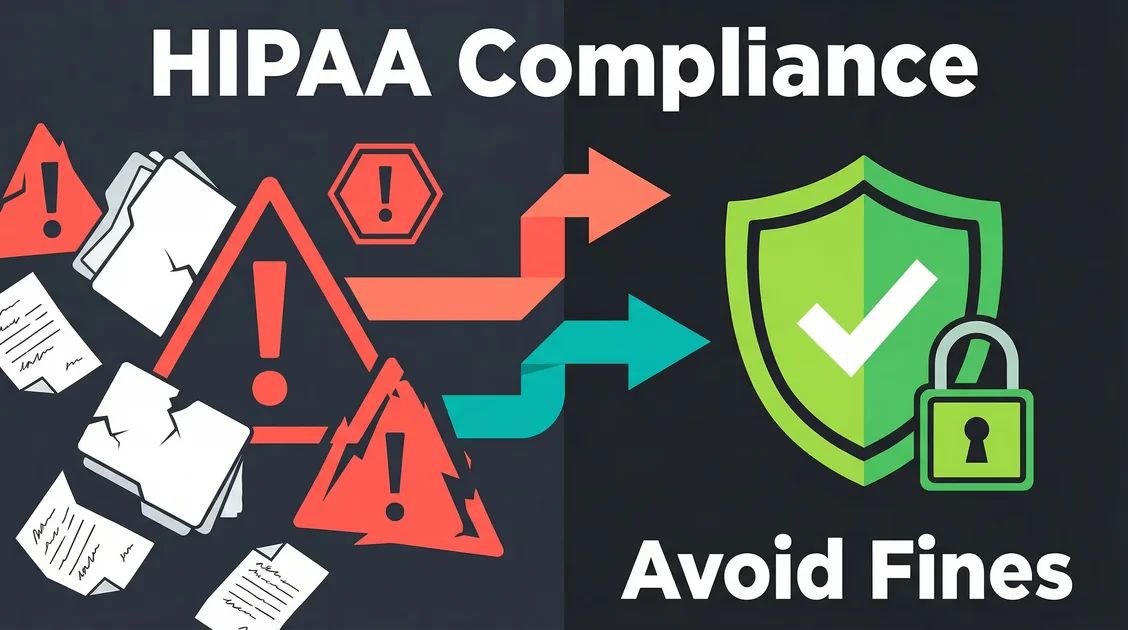
Building healthcare technology is rewarding, but HIPAA compliance stops many founders in their tracks. The legal jargon, technical requirements, and fear of penalties can feel overwhelming, especially if you’re not technical.
HIPAA compliance isn’t optional for healthcare software, but it also doesn’t have to block your progress. Understanding the fundamentals helps you make informed decisions, ask the right questions, and build your product without unnecessary delays.
Quick Answer: What You Actually Need
HIPAA compliance requires three things: proper safeguards for protected health information (PHI), business associate agreements (BAA) with vendors who handle your data, and documented policies and procedures.
For most healthcare applications, you’ll need:
- Encryption for data at rest and in transit
- Access controls and authentication
- Audit logging for all PHI access
- Business associate agreements with cloud providers
- documented security policies and training
The good news: modern cloud platforms (AWS, GCP, Azure) and many third-party services offer BAA agreements, making compliance much easier than even a few years ago.
The HIPAA Basics: What Every Founder Should Know
What is HIPAA?
The Health Insurance Portability and Accountability Act (HIPAA) is a US federal law that protects sensitive patient health information. If your software handles protected health information (PHI), you must comply.
PHI includes: patient names, addresses, birth dates, Social Security numbers, medical records, and any information that could identify a person combined with their health data.
Not PHI: anonymized data, health information stripped of identifiers, and data the patient shares publicly (like on social media).
Who Must Comply?
| Your Situation | HIPAA Required? |
|---|---|
| Healthcare provider (hospitals, clinics) | Yes |
| Health plan (insurance companies) | Yes |
| Healthcare clearinghouse | Yes |
| Business associate (vendors handling PHI for covered entities) | Yes |
| Wellness app with self-reported data only | No |
| Direct-to-consumer health app (no healthcare providers involved) | Generally No |
The key test: If you’re working with covered entities (healthcare providers, insurance) and they’ll share patient data with your system, you’re a business associate and must comply.
What Happens If You Don’t Comply?
| Violation Type | Minimum Penalty | Maximum Penalty |
|---|---|---|
| Unknowing violation | $100 per violation | $50,000 per violation |
| Reasonable cause | $1,000 per violation | $50,000 per violation |
| Willful neglect (corrected) | $10,000 per violation | $50,000 per violation |
| Willful neglect (not corrected) | $50,000 per violation | $50,000 per violation |
Annual maximum: $1.5 million for identical violations. Criminal penalties (including prison) apply for malicious misuse or wrongful disclosure of PHI.
The HIPAA Security Rule: Technical Requirements
The HIPAA Security Rule specifies safeguards for electronic PHI (ePHI). Think of it in three layers: administrative, physical, and technical.
Administrative Safeguards (Policies and People)
| Requirement | What It Means in Practice |
|---|---|
| Security Risk Assessment | Document and review risks to ePHI annually |
| Workforce Training | Train all employees with PHI access on security policies |
| Contingency Planning | Backup and disaster recovery procedures |
| Business Associate Agreements | Signed contracts with all vendors handling PHI |
| Access Management | Only minimum necessary access to PHI for each role |
Physical Safeguards (Facilities and Devices)
| Requirement | What It Means in Practice |
|---|---|
| Facility Access Control | Limit physical access to servers and equipment |
| Workstation Security | Lock screens, secure workstations when unattended |
| Device and Media Control | Encrypt laptops, track PHI storage devices |
Technical Safeguards (Software and Systems)
| Requirement | What It Means in Practice |
|---|---|
| Access Control | Unique user accounts, strong passwords, 2FA |
| Audit Controls | Log all access, creation, changes, deletion of ePHI |
| Integrity Controls | Protect ePHI from improper alteration or destruction |
| Transmission Security | Encrypt ePHI in transit (TLS/HTTPS) |
| Encryption at Rest | Encrypt stored ePHI (AES-256 or equivalent) |
Building HIPAA-Compliant Software: Practical Considerations
Choose HIPAA-Ready Infrastructure
Start with a cloud provider that signs a BAA:
| Provider | BAA Available | Notes |
|---|---|---|
| AWS | Yes | Comprehensive BAA, detailed compliance documentation |
| Google Cloud Platform | Yes | BAA available for most services |
| Microsoft Azure | Yes | Strong healthcare compliance resources |
| Heroku | Yes | Available on certain plans |
| Vercel/Netlify | No | Not HIPAA-compliant hosting |
Pro tip: Your hosting isn’t the only vendor that needs a BAA. Your database, analytics, email service, and any other service that could接触到 PHI must also sign one.
Services That Offer BAAs
| Service Type | HIPAA-Compliant Options |
|---|---|
| Databases | AWS RDS, Google Cloud SQL, Azure SQL, PostgreSQL on compliant infrastructure |
| File Storage | AWS S3 (with BAA), Google Cloud Storage, Azure Blob Storage |
| Paubox, Mailchimp (with BAA), AWS SES (with BAA) | |
| Analytics | Google Analytics (configured without PHI), Mixpanel (with BAA), Amplitude (with BAA) |
| Support/Chat | Intercom (with BAA), Zendesk (with BAA), Help Scout (with BAA) |
| Authentication | Auth0 (with BAA), Firebase Authentication (with BAA) |
Red flag services: Standard Google Analytics, free tiers of most services, consumer-focused tools often don’t offer BAAs.
Architect for Compliance
Data Minimization: Only collect and store PHI you absolutely need. Consider:
- Can you use a unique identifier instead of storing full patient details?
- Can you store PHI separately from other user data?
- Can you use tokenization or reference IDs instead of direct PHI access?
Audit Logging: You must log:
| Event Type | Example |
|---|---|
| Access | When a user views a patient record |
| Creation | New patient data added |
| Modification | Any change to existing PHI |
| Deletion | Removal of PHI (including soft deletes) |
| Export | Data downloads or reports |
| Authentication | Login attempts, especially failures |
Role-Based Access Control (RBAC):
// Example: Simple role-based access check
const PHI_ACCESS_ROLES = ['doctor', 'nurse', 'admin'];

function canAccessPHI(user: User): boolean {
  // User must have appropriate role
  if (!PHI_ACCESS_ROLES.includes(user.role)) {
    return false;
  }

  // User must have completed HIPAA training
  if (!user.hipaaTrainingCompleted) {
    return false;
  }

  // Additional checks: time-based access, IP restrictions, etc.
  return true;
}
Common HIPAA Compliance Mistakes
| Mistake | Why It Happens | How to Avoid |
|---|---|---|
| Storing PHI without encryption | Developers forget encryption on databases or backups | Use encrypted cloud services, implement encryption at application level |
| No BAA with vendors | Founders don’t realize their vendors need BAAs | Audit every service that touches your infrastructure |
| Logging PHI in plain text | Application logs capture request bodies with PHI | Sanitize logs before writing, exclude PHI from error tracking |
| Using consumer analytics | Google Analytics default setup captures PHI | Configure analytics to exclude PHI, use HIPAA-compliant alternatives |
| Missing audit trail | Teams focus on features, forget logging | Implement audit logging from day one |
| No security training | Small teams assume “we’re careful” | Document policies, train anyone with system access |
| Improper disposal of PHI | Deleting database records without secure deletion | Use secure deletion standards (NIST 800-88) |
| No risk assessment | Teams assume “we’re compliant because we use AWS” | Conduct documented risk assessment annually |
Minimum Viable HIPAA Compliance
You don’t need enterprise-level compliance to get started, but you do need these fundamentals:
Phase 1: Foundation (Pre-Launch)
- Sign BAAs with your cloud provider and any third-party services
- Encrypt data at rest and in transit
- Implement access controls (unique accounts, strong passwords)
- Document basic policies (even a simple one-pager covering security practices)
- Enable audit logging on all systems handling PHI
Phase 2: Production (Post-Launch)
- Conduct risk assessment (document potential vulnerabilities and mitigations)
- Formalize policies (security incident response, access management, disaster recovery)
- Train team on HIPAA requirements and your specific policies
- Implement monitoring for unauthorized access attempts
- Establish incident response procedure for potential breaches
Phase 3: Scale (Growth)
- Annual security assessments (third-party audits if working with enterprise clients)
- Formal compliance certification if required by partners
- Enhanced monitoring and alerting
- Regular policy reviews and updates
The HIPAA Compliance Checklist
Use this checklist to verify your foundation is in place:
Infrastructure & Vendors
- Cloud provider BAA signed
- All third-party service BAAs signed
- Encryption enabled for data at rest
- Encryption enabled for data in transit (TLS 1.2+)
- Secure backup and recovery procedures documented
Access Control
- Unique user accounts for all system access
- Strong password policy (minimum 12 characters, complexity)
- Multi-factor authentication implemented
- Role-based access control (minimum necessary access)
- Account termination process for departing employees
Audit & Logging
- All PHI access logged
- Failed authentication attempts logged
- Data changes (create, update, delete) logged
- Export activities logged
- Log retention policy (minimum 6 years)
Policies & Training
- Security management process documented
- Risk assessment conducted
- Workforce security training completed
- Incident response procedure documented
- Business continuity plan documented
Technical Safeguards
- Database encryption configured
- Backup encryption enabled
- API access authenticated and authorized
- Data validation and integrity checks implemented
- Secure disposal procedures for PHI
Real-World Example: Telehealth Platform
A telehealth startup needed to launch quickly while maintaining HIPAA compliance.
What they did right:
- Used AWS (BAA available) for hosting
- Implemented encryption at rest and in transit from day one
- Used Auth0 for authentication (BAA available)
- Signed BAAs with their database, file storage, and email providers
- Built audit logging into their core data model
What they prioritized:
- Phase 1 focused on the 5 fundamentals above
- Launched with basic policies, refined post-launch
- Conducted formal risk assessment after securing first 10 customers
Result: Launched in 10 weeks, HIPAA-compliant, with less than $50K initial infrastructure spend.
What We’d Do Differently
Many founders overestimate HIPAA complexity and underestimate the documentation. Focus on:
- Technical safeguards first: encryption and access controls are non-negotiable
- Vendor agreements early: don’t wait until post-launch to sign BAAs
- Simple policies that you actually follow: one-page documents beat hundred-page binders that nobody reads
- Audit logging from day one: retrofitting logging is painful and expensive
How We Can Help
Building HIPAA-compliant software requires both technical expertise and regulatory knowledge. We’ve helped healthcare companies navigate compliance while shipping products in weeks, not months.
Our MVP Build and Web Application Development services include HIPAA-compliant architecture, BAA coordination with vendors, and security best practices.
Book a free consultation to discuss your healthcare software project.
Unsure if your app needs HIPAA compliance? Let’s talk through your specific use case and requirements.