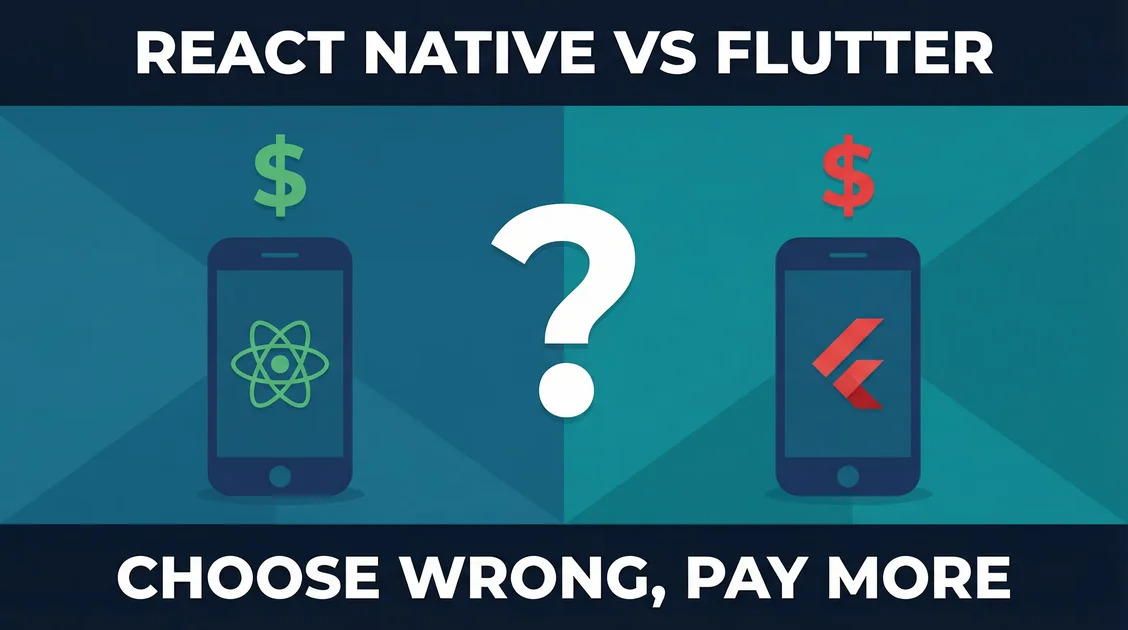
React Native vs Flutter: A Practical Comparison for Mobile Apps
Choosing between React Native and Flutter for your mobile app? Here's a practical framework based on performance, developer experience, and long-term maintenance.
Jason Overmier
Innovative Prospects Team
React Native vs Flutter: What’s Right for Your Mobile App?
You’ve decided to build a cross-platform mobile app (smart move—one codebase for iOS and Android saves significant time and money). Now you’re facing the next decision: React Native or Flutter?
Both are mature, production-ready frameworks with strong communities and successful apps. The right choice depends on your team’s expertise, your app’s requirements, and your long-term maintenance strategy.
Quick Answer
For most web-first teams with React experience, React Native is the better choice because you can leverage existing React skills, share more code with web, and tap into a massive ecosystem. However, if you’re starting fresh, need pixel-perfect UIs, or prioritize 60fps performance, Flutter may be the better option.
The decision often comes down to your team’s existing skills. If you have React developers, React Native is a natural fit. If you’re building from scratch or your team prefers strongly-typed languages, Flutter’s unified approach has advantages.
Comparison Table
| Factor | React Native | Flutter | Winner |
|---|---|---|---|
| Performance | Good (bridge-based, improved with New Architecture) | Excellent (compiled to native) | Flutter |
| Development Speed | Fast for React developers, moderate learning curve | Fast once learned, steep initial curve | Tie (depends on background) |
| UI Consistency | Good, relies on native components | Excellent (draws every pixel) | Flutter |
| Hot Reload | Yes | Yes | Tie |
| Code Sharing with Web | Excellent (React, Redux, etc.) | Limited (different paradigm) | React Native |
| Ecosystem | Massive (10+ years mature) | Growing rapidly, but smaller | React Native |
| Talent Availability | Abundant (React skills transfer) | Growing, but smaller pool | React Native |
| App Size | Smaller (uses native components) | Larger (includes engine) | React Native |
| Language | JavaScript/TypeScript | Dart | React Native (more common) |
| Learning Curve | Low for React devs, moderate otherwise | Moderate (Dart + widget system) | React Native (for most) |
| Maturity | Very mature (2015) | Mature but newer (2017) | React Native |
| OTA Updates | CodePush available | Built-in | Tie |
Overall: React Native wins for most web-centric teams and code-sharing needs. Flutter wins for performance-critical apps and pixel-perfect UI requirements.
When to Choose React Native
React Native excels in these scenarios:
Best For
- Teams with React/TypeScript experience - Your web team can build mobile
- Apps that share logic with web - Maximum code reuse across platforms
- Content-heavy apps - News, social feeds, dashboards
- Apps using native features heavily - Camera, maps, push notifications (bridges are mature)
- Startups prioritizing hiring flexibility - React developers are abundant
Key Advantages
| Advantage | Why It Matters |
|---|---|
| React ecosystem | Use Redux, Zustand, React Query, and familiar patterns |
| Web code sharing | Share business logic, state management, utilities |
| Large talent pool | Easier to hire React Native developers |
| Mature ecosystem | Battle-tested libraries for most needs |
| Meta/Facebook backing | Continued investment, used by Facebook, Instagram, Discord |
| CodePush for OTA | Update without App Store review |
Trade-offs to Consider
- Bridge overhead - JavaScript-to-native communication has a cost (improved in New Architecture)
- UI consistency varies - Different native components can behave differently on iOS vs Android
- Version conflicts - Managing React Native, iOS, and Android dependencies can be complex
- Performance ceiling - 60fps possible but harder than Flutter for complex animations
Real-World Example
A SaaS company with a React web dashboard built a React Native mobile app. They shared 80% of business logic, state management (Redux), and API calls between web and mobile. Their React web developers picked up React Native in a week. The app launched in 6 weeks with a team of two.
When to Choose Flutter
Flutter is the better choice when:
Best For
- Performance-critical apps - Games, complex animations, real-time data visualization
- Pixel-perfect UI requirements - Brand consistency across platforms matters
- Teams starting fresh - No legacy React bias, can choose the best tool
- Highly customized UIs - Non-standard components, heavy animations
- Teams that prefer strongly-typed languages - Coming from C#, Java, Swift backgrounds
Key Advantages
| Advantage | Why It Matters |
|---|---|
| Consistent 60fps performance - Compiled to native ARM machine code | Smooth animations, no bridge overhead |
| Pixel-perfect rendering - Draws every pixel, not native widgets | Looks identical on iOS and Android |
| Hot reload - Instant feedback during development | Faster iteration cycles |
| Rich widget library - Comprehensive out-of-the-box components | Less dependence on third-party libraries |
| Good documentation - Clear, cohesive docs | Easier onboarding for new developers |
| Built-in OTA updates - No external service needed | Faster update cycles |
Trade-offs to Consider
- Dart language - Less common than JavaScript/TypeScript, smaller talent pool
- Larger app size - Includes Flutter engine (~10MB base size)
- Less web code sharing - Different paradigm than web frameworks
- Smaller ecosystem - Fewer third-party packages than React Native
- Younger ecosystem - Some edge cases have fewer community solutions
Real-World Example
A fintech startup needed smooth chart animations and real-time trading updates. Flutter’s compiled performance delivered consistent 60fps even with complex data visualizations. The custom UI requirement (brand-specific design system) was easier to implement with Flutter’s pixel-perfect rendering. The app launched in 10 weeks with a team of three Dart developers.
Architecture Comparison
React Native:
JavaScript/TypeScript Code
         ↓
      React Framework
         ↓
    React Native Bridge
         ↓
    Native Modules (iOS/Android)
Flutter:
Dart Code
    ↓
Flutter Framework
    ↓
Flutter Engine (C++)
    ↓
Skia Graphics Library
    ↓
Direct Canvas Rendering
The difference: React Native uses a bridge to communicate with native components. Flutter compiles to native code and renders directly to the canvas. This architectural difference explains Flutter’s performance advantage and React Native’s native component advantage.
Common Pitfalls
| Pitfall | Why It Happens | How to Avoid |
|---|---|---|
| Choosing based on hype | Following trends vs. assessing needs | Evaluate based on team skills and app requirements |
| Ignoring long-term maintenance | Focus on launch, not years of updates | Consider talent availability, ecosystem maturity |
| Underestimating platform differences - Assuming “write once, run anywhere” means zero platform-specific code | Plan for platform-specific features, testing | |
| Over-optimizing performance early | Premature optimization of non-critical paths | Profile first, optimize only what’s actually slow |
| Neglecting offline functionality - Assuming constant connectivity | Design offline-first, cache data, handle network states | |
| Not planning for app store approval | Underestimating review times and rejection risks | Follow guidelines, test thoroughly, allow buffer time |
Our Recommendation Framework
Use this decision tree to determine the right approach:
Start by asking:
-
Does your team have React experience?
- Yes → React Native is the natural fit
- No → Continue to question 2
-
Do you need to share code with a web app?
- Yes → React Native maximizes code sharing
- No → Continue to question 3
-
Is 60fps performance with complex animations critical?
- Yes → Flutter has the performance edge
- No → Continue to question 4
-
Do you need pixel-perfect UI consistency across platforms?
- Yes → Flutter renders identically everywhere
- No → Continue to question 5
-
How easy do you need hiring to be?
- Very important → React Native (larger talent pool)
- Less important → Flutter is viable
Still unsure? Consider these factors:
- App complexity: Simple to moderate apps work well in either. Complex animations or custom UIs favor Flutter.
- Timeline: If you need to launch fast with React developers, React Native wins. If you’re starting fresh, both are viable.
- Long-term vision: Consider talent availability for maintenance. React developers are more abundant than Dart developers.
Code Comparison: Same Feature in Both
Counter Component in React Native:
import React, { useState } from 'react';
import { View, Text, Button, StyleSheet } from 'react-native';

export function Counter() {
  const [count, setCount] = useState(0);

  return (
    <View style={styles.container}>
      <Text style={styles.text}>Count: {count}</Text>
      <Button title="Increment" onPress={() => setCount(count + 1)} />
    </View>
  );
}

const styles = StyleSheet.create({
  container: { flex: 1, justifyContent: 'center', alignItems: 'center' },
  text: { fontSize: 24, marginBottom: 20 },
});
Counter in Flutter:
import 'package:flutter/material.dart';

class Counter extends StatefulWidget {
  @override
  _CounterState createState() => _CounterState();
}

class _CounterState extends State<Counter> {
  int count = 0;

  @override
  Widget build(BuildContext context) {
    return Column(
      mainAxisAlignment: MainAxisAlignment.center,
      children: [
        Text('Count: $count', style: TextStyle(fontSize: 24)),
        SizedBox(height: 20),
        ElevatedButton(
          onPressed: () => setState(() => count++),
          child: Text('Increment'),
        ),
      ],
    );
  }
}
The difference: React Native uses React patterns you already know. Flutter uses a widget tree with a more declarative approach. Neither is objectively better—it’s about what your team is comfortable with.
When to Choose Native Instead
Sometimes cross-platform isn’t the right answer:
Consider native (Swift/Kotlin) when:
- You need maximum performance for games or intensive computation
- You’re using platform-specific features extensively (ARKit, CoreML, etc.)
- Your app is heavily platform-conceptual (widgets vs. app icons)
- You have separate iOS and Android teams anyway
The hybrid approach: Some teams use native for critical features and React Native/Flutter for the rest. Both frameworks support native modules.
How We Can Help
We help clients navigate mobile framework decisions every day. Our Mobile App Development service includes framework selection, architecture planning, and implementation guidance.
Whether you choose React Native, Flutter, or native, we can help you build a mobile app that performs beautifully on both platforms.
Book a free consultation to discuss your mobile app requirements.
Unsure which framework is right for your project? Let’s talk through your specific requirements and team situation.