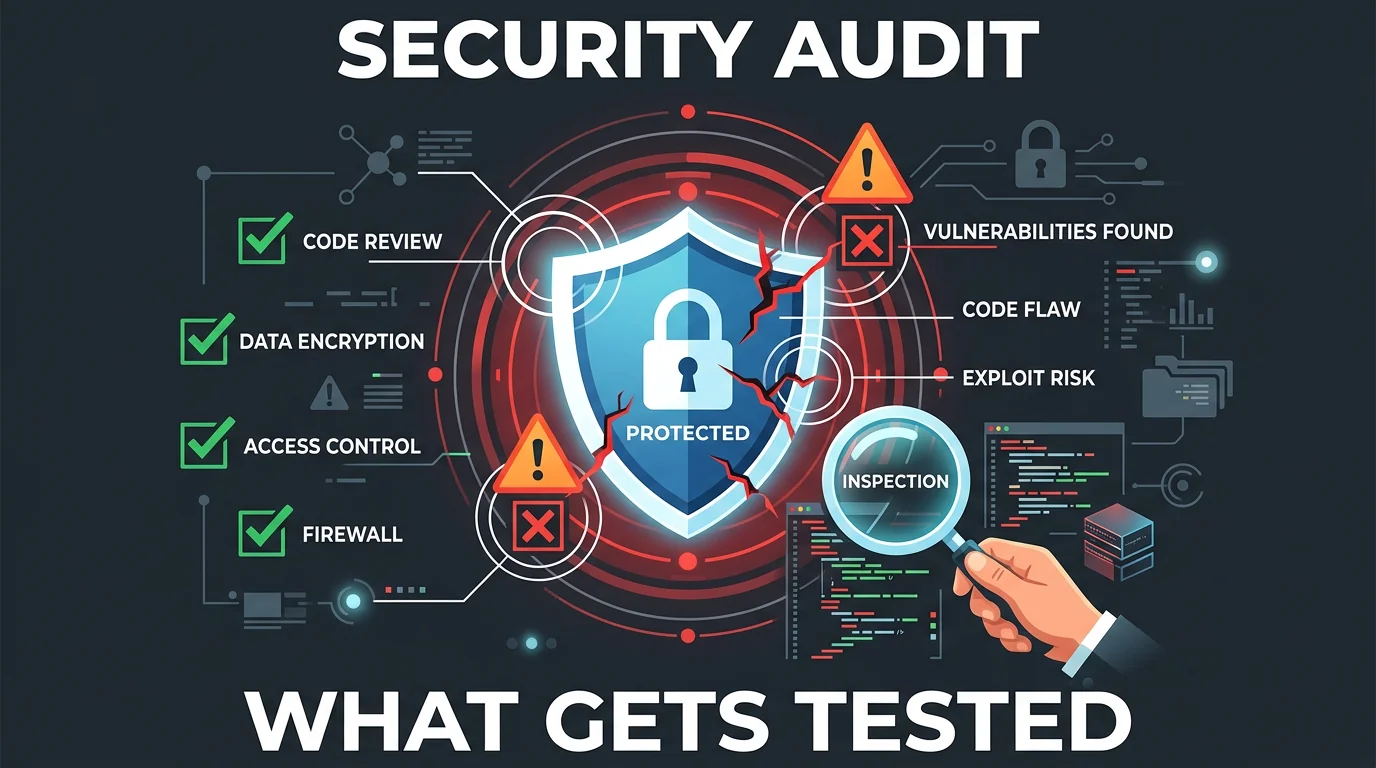
Security Audit Checklist: What Actually Gets Tested
Professional security audits aren't mysterious. Here's what actually happens during testing, what vulnerabilities they look for, and how to prepare.
Jason Overmier
Innovative Prospects Team
Security audits often feel like a black box. You hire an external firm, they probe your systems for a few weeks, and you get a report full of unfamiliar terms and severity ratings.
Understanding what actually happens during a security audit helps you prepare, reduces findings, and makes the remediation process smoother. Here’s what professional security auditors actually test.
Quick Answer
| Audit Phase | What Happens | Duration |
|---|---|---|
| Scoping | Define systems, applications, and testing boundaries | 1-2 weeks |
| Reconnaissance | Information gathering about your attack surface | Days to weeks |
| Vulnerability scanning | Automated tools find known issues | Hours to days |
| Manual testing | Human testers probe for business logic flaws | 1-4 weeks |
| Exploitation | Attempting to exploit found vulnerabilities | Days to weeks |
| Reporting | Document findings with severity and remediation | 1-2 weeks |
Most audits focus on web applications, infrastructure, or both. The scope determines exactly what gets tested.
Vulnerability Categories
OWASP Top 10
The industry standard for web application security testing covers these categories:
| Category | What Gets Tested |
|---|---|
| Injection | SQL, NoSQL, command, LDAP injection in inputs |
| Broken authentication | Session management, credential stuffing, password policies |
| Sensitive data exposure | Encryption at rest/transit, data classification |
| XML external entities | XXE processing vulnerabilities |
| Broken access control | Authorization bypasses, privilege escalation |
| Security misconfiguration | Default credentials, unnecessary features, headers |
| Cross-site scripting | Reflected, stored, DOM-based XSS |
| Insecure deserialization | Object serialization vulnerabilities |
| Known vulnerabilities | Outdated dependencies with CVEs |
| Insufficient logging | Missing audit trails, monitoring gaps |
Auditors systematically test each category against your application.
Infrastructure Vulnerabilities
For infrastructure testing, auditors examine:
| Area | What Gets Tested |
|---|---|
| Network security | Open ports, services, firewall rules |
| Server hardening | OS configuration, unnecessary services |
| Cloud configuration | IAM policies, S3 bucket permissions, security groups |
| Container security | Image vulnerabilities, runtime configuration |
| Secrets management | Credential storage, rotation policies |
| Patch management | Known vulnerabilities in systems and software |
What Manual Testing Catches That Scanners Miss
Automated scanners find known vulnerabilities. Manual testing catches:
Business Logic Flaws
| Example | Why Scanners Miss It |
|---|---|
| Price manipulation | Purchasing items for $0.01 |
| Workflow bypasses | Skipping approval steps |
| Rate limit bypass | Different endpoints, same action |
| Privilege escalation | Accessing other users’ data |
| Coupon stacking | Applying discounts unintended ways |
Authentication Edge Cases
| Test | What Auditor Does |
|---|---|
| Password reset flows | Manipulate tokens, race conditions |
| Session fixation | Force use of known session ID |
| Token expiration | Use expired tokens, timing attacks |
| MFA bypass | Skip MFA through alternate flows |
| Account enumeration | Determine valid accounts through error messages |
API Security
| Test | What Gets Probed |
|---|---|
| Authorization | Can user A access user B’s data? |
| Rate limiting | Does it work? Can it be bypassed? |
| Input validation | What happens with malformed input? |
| Information disclosure | Do errors reveal internal details? |
| Mass assignment | Can attackers modify unintended fields? |
Testing Methodologies
Black Box Testing
The auditor knows nothing about your systems beyond what’s publicly visible.
| Pro | Con |
|---|---|
| Simulates real attacker | Misses vulnerabilities that require inside knowledge |
| Unbiased view | Time-consuming reconnaissance |
| Tests exposed attack surface | May miss internal-only issues |
White Box Testing
The auditor has access to source code, architecture docs, and internal access.
| Pro | Con |
|---|---|
| More thorough coverage | Requires code review skills |
| Finds deeper vulnerabilities | More expensive |
| Faster with inside knowledge | May miss what an outsider would find |
Gray Box Testing
A middle ground: some internal access, some external perspective.
Most common for application audits: Auditor has user accounts and documentation but no source code access.
Preparing for an Audit
Before the Audit
| Preparation | Why It Matters |
|---|---|
| Define scope clearly | Prevents scope creep, controls costs |
| Document architecture | Helps auditors understand the system |
| Run your own scans first | Fix low-hanging fruit before auditors find it |
| Ensure logging works | Auditors need to see their attacks in logs |
| Create test accounts | Auditors need access to test authenticated areas |
| Establish communication | Know who to contact when issues are found |
Low-Hanging Fruit to Fix First
Run these checks before auditors arrive:
| Check | Tool | Time to Fix |
|---|---|---|
| Dependency vulnerabilities | npm audit, Snyk, Dependabot | Hours to days |
| Security headers | securityheaders.com | Minutes |
| SSL/TLS configuration | SSL Labs | Hours |
| Open ports | nmap | Hours |
| Default credentials | Manual check | Minutes |
| Exposed admin panels | Manual check | Minutes |
Documentation to Prepare
| Document | What It Contains |
|---|---|
| Network diagram | How systems connect |
| Data flow diagram | Where sensitive data moves |
| Asset inventory | What systems exist |
| Access control matrix | Who can access what |
| Incident response plan | What to do when breaches happen |
Understanding the Report
Severity Classifications
| Severity | Definition | Typical Response Time |
|---|---|---|
| Critical | Immediate exploit possible, severe impact | 24-72 hours |
| High | Significant vulnerability, needs prompt fix | 1-2 weeks |
| Medium | Moderate risk, should be addressed | 1-3 months |
| Low | Minor risk, address when convenient | Next release cycle |
| Informational | Best practice, no direct vulnerability | As time allows |
Common Report Elements
| Section | What It Contains |
|---|---|
| Executive summary | High-level findings, risk assessment |
| Methodology | How testing was performed |
| Scope | What was and wasn’t tested |
| Findings | Detailed vulnerabilities with reproduction steps |
| Risk rating | Severity and potential impact |
| Remediation | How to fix each issue |
| References | Links to CWE, CVE, or other standards |
Remediation Process
Triage Findings
- Critical/High: Fix immediately, verify with retest
- Medium: Plan for next sprint, document acceptance if deferred
- Low/Informational: Backlog for future releases
Validation
After remediation, auditors typically perform retesting:
| Validation Type | When Used |
|---|---|
| Full retest | Many critical/high findings |
| Targeted retest | Specific findings only |
| Patch verification | Single fix confirmation |
Acceptance
Some findings can’t be fixed immediately. Document:
- Risk acceptance: Why the risk is acceptable for now
- Compensating controls: What else mitigates the risk
- Remediation timeline: When it will be addressed
- Owner: Who’s responsible for the risk
Common Findings and Fixes
| Finding | Typical Fix |
|---|---|
| Outdated dependencies | Update to latest versions |
| Missing security headers | Add CSP, X-Frame-Options, etc. |
| SQL injection | Parameterized queries |
| XSS | Output encoding, CSP |
| Weak password policy | Length requirements, complexity rules |
| Missing rate limiting | Implement per-endpoint limits |
| Verbose error messages | Generic errors in production |
| CORS misconfiguration | Restrict allowed origins |
| Insecure cookies | Set Secure, HttpOnly flags |
| Exposed sensitive endpoints | Require authentication, restrict access |
Ongoing Security Post-Audit
An audit is a point-in-time assessment. Maintain security with:
| Practice | Frequency |
|---|---|
| Dependency scanning | Continuous (CI/CD) |
| Static analysis (SAST) | Every commit |
| Dynamic scanning (DAST) | Weekly or per release |
| Penetration testing | Annually or after major changes |
| Security review | For significant features |
| Incident response drills | Quarterly |
Security audits aren’t about passing or failing. They’re about understanding your risk exposure and prioritizing remediation. If you’re preparing for an audit or want to assess your current security posture, book a consultation. We’ll help you identify and fix vulnerabilities before auditors find them.