Web vs. Mobile App: Which Is Right for Your Business?
Progressive Web Apps, React Native, Flutter, or native? Here's how to decide.
Jason Overmier
Innovative Prospects Team
Web vs. Mobile App: What’s Right for Your Business?
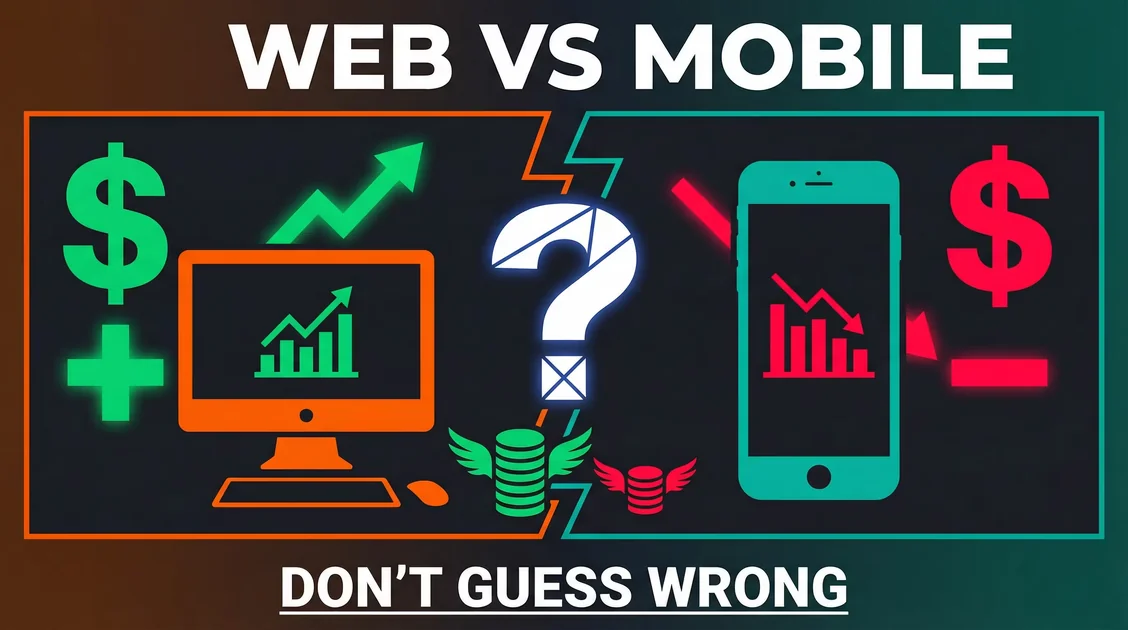
One of the first decisions in any software project: Do we build a web app, a mobile app, or both? The answer affects budget, timeline, and user experience, so getting it right matters.
The Quick Decision Framework
| Scenario | Best Choice |
|---|---|
| B2B SaaS, internal tools | Web app |
| Consumer social, on-the-go use | Mobile app |
| Limited budget, broad reach | Progressive Web App (PWA) |
| Device-specific features (camera, GPS) | Mobile app (native features) |
| Need App Store presence | Mobile app |
Web Applications
Best For:
- B2B SaaS products
- Dashboards and admin panels
- Content-heavy applications
- MVP testing and validation
Pros:
- Faster development (single codebase)
- Easier maintenance (deploy anytime, no app review)
- Broader reach (works on any device with a browser)
- Lower cost (typically 30-50% less than mobile)
- SEO-friendly (discoverable via search)
Cons:
- Limited offline access
- No App Store presence
- Restricted access to device features
- Less “sticky” (users can close tabs easily)
Tech Stack Recommendations:
// Modern Web Stack
Frontend:  Next.js + TypeScript
Styling:   Tailwind CSS
State:     Zustand or React Context
Backend:   Node.js or Go
Database:  PostgreSQL
Mobile Applications
Best For:
- Social networking apps
- Apps used frequently throughout the day
- Heavy use of device features (camera, GPS, biometrics)
- Products requiring App Store distribution
Pros:
- Better user experience (optimized for touch, gestures)
- Offline functionality
- Push notifications (higher engagement)
- App Store discoverability
- Monetization options (in-app purchases, subscriptions)
- Premium perception (users expect to pay for apps)
Cons:
- Higher development cost (iOS + Android)
- Longer timelines (app review process)
- Update friction (users must approve updates)
- Platform-specific code (even with cross-platform tools)
Cross-Platform vs. Native
| Approach | Pros | Cons | Best For |
|---|---|---|---|
| React Native | Single codebase, large community | Performance gap for complex apps | Most business apps |
| Flutter | Fast development, great UI | Smaller talent pool | Design-forward apps |
| Native (Swift/Kotlin) | Best performance, full API access | Expensive, slower | Games, AR/VR, performance-critical apps |
Tech Stack Recommendations:
// Cross-Platform Mobile
Framework: React Native or Flutter
Language:  TypeScript or Dart
State:     Redux Toolkit or Provider
Backend:   Node.js or Firebase
Database:  PostgreSQL or Firebase Firestore
Progressive Web Apps (PWAs)
The Middle Ground
PWAs are web apps that can be installed on devices, work offline, and send push notifications. This combines web benefits with native-like features.
Best For:
- E-commerce (great for engagement)
- Content platforms
- Apps targeting emerging markets (limited data)
- Budget-conscious projects wanting mobile features
Pros:
- Web reach + mobile features
- Installable from browser (no App Store)
- Offline support (service workers)
- Lower cost than native mobile
Cons:
- iOS limitations (Apple restricts some PWA features)
- No App Store presence
- Limited push notification support on some platforms
Tech Stack:
// PWA Stack
Framework: Next.js (with PWA plugin)
Service Worker: Workbox
Push: Web Push API
Install Prompt: Custom UI
Real Cost Comparison
Building a typical business app:
| Type | Timeline | Cost Range |
|---|---|---|
| Web App | 6-8 weeks | $25,000–$50,000 |
| PWA | 6-8 weeks | $30,000–$55,000 |
| Cross-Platform Mobile | 8-12 weeks | $50,000–$90,000 |
| Native iOS + Android | 12-16 weeks | $100,000–$200,000+ |
Decision Checklist
Ask yourself:
1. How will users primarily access this?
- Desktop/laptop? → Web app
- Phone throughout the day? → Mobile app
- Both? → Start web, add mobile later
2. What device features do you need?
- Camera, GPS, biometrics? → Mobile app
- Mostly data entry/display? → Web app
3. What’s your budget?
- Under $40K? → Web app or PWA
- $40K–$80K? → Cross-platform mobile
- $80K+? → Consider native or hybrid
4. How important is App Store presence?
- Critical for discoverability? → Mobile app
- Nice-to-have? → Web app
5. Do you need offline access?
- Yes, frequently? → Mobile app or PWA
- Occasionally? → PWA or web with caching
The Hybrid Approach
Many successful companies start with web and add mobile later:
- Launch web MVP (validate concept)
- Gather user feedback (identify mobile demand)
- Build mobile app for power users
- Maintain both (web for discovery, mobile for engagement)
Examples: Twitter, Slack, Discord. All started web, added mobile.
Common Pitfalls
| Pitfall | Why It Happens | Fix |
|---|---|---|
| Building mobile first without validation | Assume everyone wants an app | Start with web MVP to validate demand |
| Choosing native for MVP | Want “best” experience from day 1 | Use cross-platform (React Native/Flutter) |
| Ignoring PWAs as an option | Not aware of hybrid capabilities | Evaluate PWA for mobile-like web features |
| App Store dependency | Assume App Store = distribution | Consider web-first for faster iteration |
| Overbuilding platform-specific features | Building for edge cases | Focus on core value, not device features |
Our Recommendation
For most businesses:
Start with a web app. It’s faster, cheaper, and lets you validate your concept. If users prove they need mobile (they’ll tell you), invest in a mobile app.
Add a PWA if you want mobile features without full native development.
Build native mobile only if you’ve validated demand and need platform-specific features or App Store distribution.
Still deciding between web and mobile? We build production-ready web applications, cross-platform mobile apps (React Native, Flutter), and PWAs. We’ll help you evaluate your requirements and choose the platform that fits your budget and timeline. Let’s discuss your project.